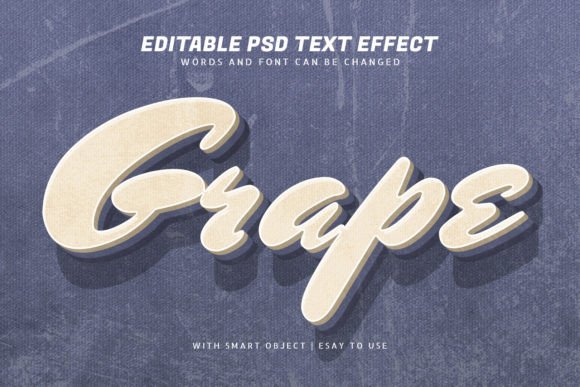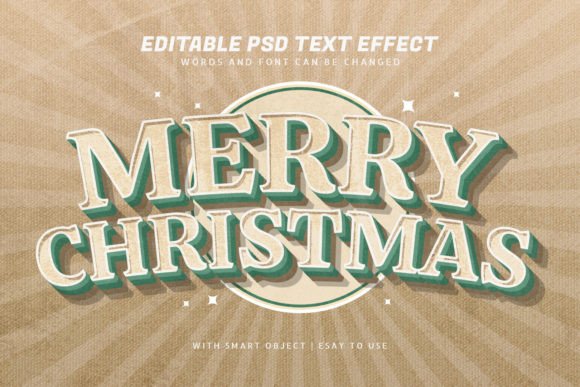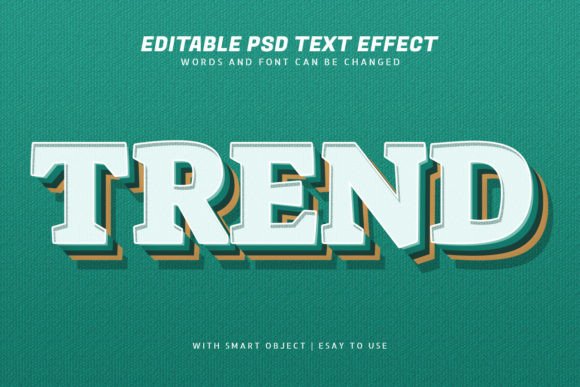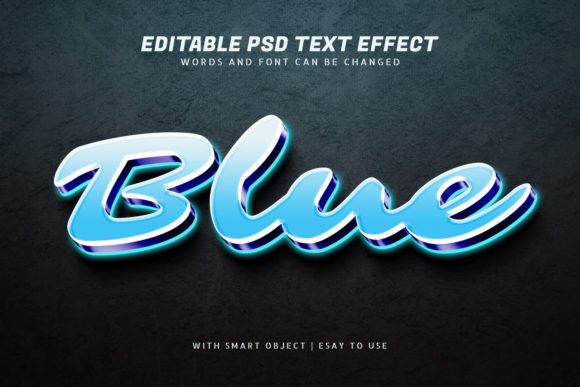
Rose 3D Vintage Retro Text Effect for Photoshop
Are you looking to add a touch of nostalgia and elegance to your design projects? The Rose 3D Vintage Retro Style Text Effect is a powerful tool for Photoshop users who want to create stunning visuals with minimal effort. This text effect comes in a Text effect PSD file that includes smart objects, making it easy to customize for any purpose — from logos to social media posts.
What Is the Rose 3d Vintage Retro Style Text Effect?
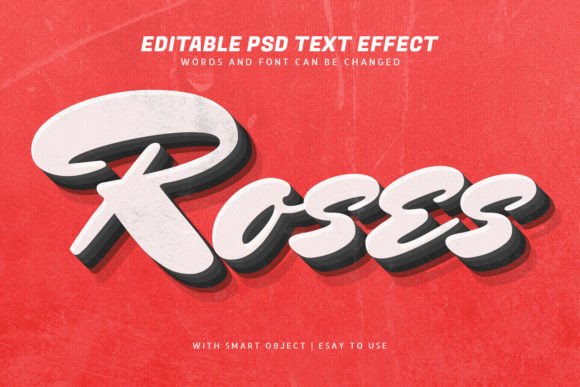
The Rose 3D Vintage Retro Style Text Effect is a high-quality Photoshop template designed to give your text a timeless, elegant look. It features intricate rose patterns rendered in a three-dimensional style, layered over a vintage or retro backdrop. The entire design is crafted using smart objects, which means you can modify every element without compromising quality.
Why Use This Template?
This template is ideal for anyone who wants to elevate their designs quickly. Whether you're a beginner learning to use Photoshop or a professional designer working on multiple projects, this resource offers a convenient way to produce visually striking content. Its retro aesthetic appeals to audiences interested in vintage themes, while the 3D roses add a dramatic and artistic flair.
Main Features That Make It Stand Out
- 100 Editable Text Layers: Each text layer is a smart object, allowing you to change fonts, colors, and wording effortlessly.
- Well-Organized Layers: The layers are clearly labeled and grouped, so even if you're new to Photoshop, you can navigate them easily.
- High-Quality Unique Design: The combination of 3D roses and vintage textures gives your text an eye-catching, one-of-a-kind appearance.
- Smart Objects Included: You can scale and adjust elements without worrying about pixelation or loss of detail.
- PSD and JPEG Files: The template comes with both editable Photoshop files and a JPEG preview for quick reference.
Realistic Use Cases for the Template
Here’s how different types of creators can benefit from the Rose 3D Vintage Retro Style Text Effect:
For Bloggers and Marketers
If you run a lifestyle blog or manage a brand's social media, this template can help you create compelling headers and promotional banners. For example, you could use it to promote a sale with a headline like "Spring Sale: 50% Off!" in a vintage style that stands out yet feels nostalgic.
For Entrepreneurs and Small Business Owners
Use the template to design unique packaging labels, event posters, or branding materials. A small flower shop might use it to craft a seasonal greeting card or a product label that exudes charm and sophistication.
For Educators and Presenters
Teachers and presenters can incorporate this effect into slides or classroom materials to make educational content more engaging. A history teacher might use it to highlight key events or names in a presentation about past eras.
For Freelancers and Hobbyists
Freelance designers and hobbyists will appreciate the flexibility and ease of customization. You can experiment with different fonts, colors, and layouts to match your client's vision or personal project goals.
How to Customize Your Text Effect
Editing the template is straightforward thanks to its smart object structure. Here’s a simple guide to get you started:
- Open the PSD file in Adobe Photoshop.
- Navigate through the organized layers to find the text you want to edit.
- Double-click the smart object to open it in a new window.
- Type your desired text, choose a font, and adjust the size and color as needed.
- Save the changes and return to the main document to see your updated design.
You can also replace the text entirely with a logo or other graphic elements. Just make sure the image is compatible in size and format for the best results.
Important Things to Consider Before Using the Template
Before diving into your design work, keep these tips in mind to ensure smooth usage:
- Make sure you have Adobe Photoshop installed, preferably a recent version to support smart objects efficiently.
- Review the JPEG preview included to understand the overall layout and visual impact before customizing the PSD.
- Check the resolution and dimensions to confirm they meet your project requirements, especially for print or high-resolution digital use.
- Consider the background and lighting conditions when applying the effect to ensure it complements your design rather than clashing with it.
Where to Apply This Vintage Text Effect
Thanks to its versatility, the Rose 3D Vintage Retro Style Text Effect can be used across various platforms and mediums:
- Social Media Graphics: Ideal for Instagram posts, Facebook covers, or Pinterest pins where visual appeal is crucial.
- Print Materials: Perfect for invitations, posters, book covers, and flyers that require a classic look.
- Digital Content: Works well for website headers, email newsletters, and online advertisements.
- Video Projects: Can be adapted for title screens in YouTube videos or marketing clips by exporting as images or animations.
A Few Creative Ideas
Let your creativity shine with these suggestions:
- Create a vintage-themed wedding invitation by placing names inside the floral text design.
- Design a motivational poster for a wellness blog using positive affirmations styled with the 3D roses.
- Develop a product name tag for a handmade item line that looks handcrafted and elegant.
Why Choose This Over Other Text Effects?
While there are countless text effects available online, the Rose 3D Vintage Retro Style Text Effect stands out due to its balance between aesthetics and functionality. Unlike many generic templates, it combines detailed 3D modeling with vintage textures to deliver a unique visual experience. Plus, the ability to tweak 100+ text layers ensures you’re not limited in what you can create.
It’s also worth noting that this effect doesn’t rely heavily on complex blending modes or filters that might be difficult to replicate. Everything is pre-set and ready to go, saving you time and effort.
Final Thoughts on Customization and Quality
Whether you're creating something for a client, a business, or just for fun, having access to a template that blends beauty and usability is invaluable. The Rose 3D Vintage Retro Style Text Effect allows you to focus on your message while delivering a polished, professional result. And with smart objects and organized layers, you won't need advanced skills to make the most of it.
So next time you need a standout text design with a touch of romance and nostalgia, consider reaching for this versatile and user-friendly template. It's a perfect blend of artistry and practicality for modern creators.